For returned missionaries

Your life after the mission.

Calendar, journal, goals and teachings in one app. Keep studying, serving and planning with the same discipline you had on your mission.

Free for 3 days. Then a monthly subscription, priced in your local currency.

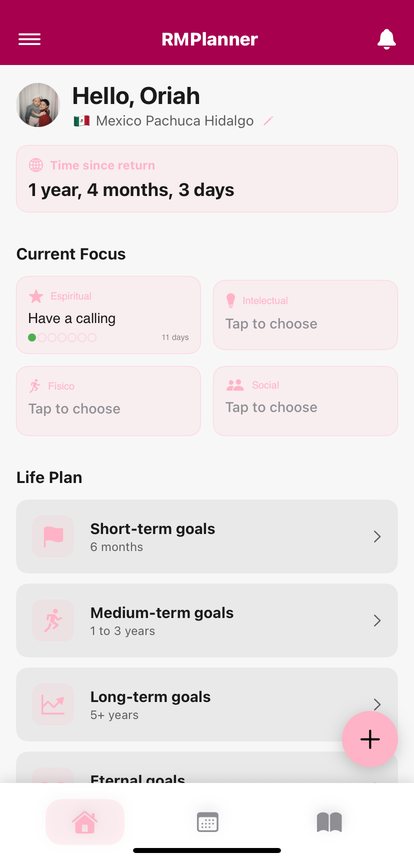
RMPlanner home screen with time since return, current focus and life plan
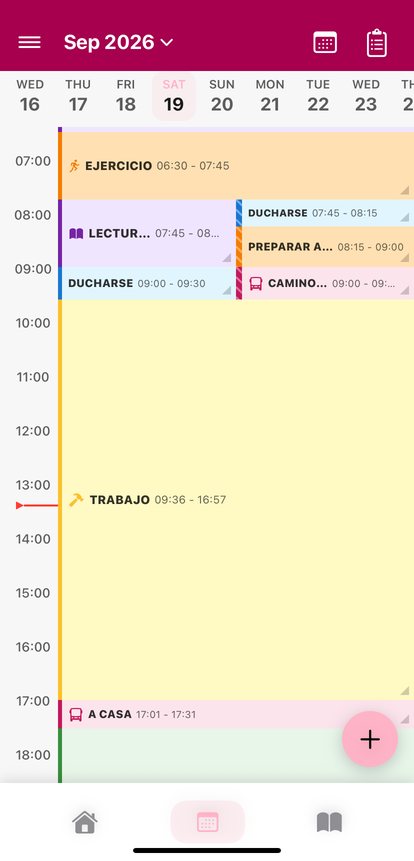
RMPlanner weekly calendar with hourly schedule
Android and iOSYour data on any device
3 languagesSpanish, English and Portuguese
3 days freeThen a monthly subscription
You and your companionShared goals and agenda
Home

See how far you have come since you got home

Open the app and see what matters: time since your return, your current focus, and your life plan split into short-, medium- and long-term goals.

  • Current focus in four areas: spiritual, intellectual, physical and social.
  • Goals with a progress bar and a date.
  • A profile with your mission and ward.
RMPlanner home screen
Calendar

Your week, hour by hour

Plan study, exercise, work and service in a color-coded agenda. Each activity can remind you before it starts, so nothing slips by.

  • Weekly view with the full schedule.
  • Reminders before each activity.
  • Add a new task in one tap.
Weekly calendar
Journal and teachings

Keep what the Spirit teaches you

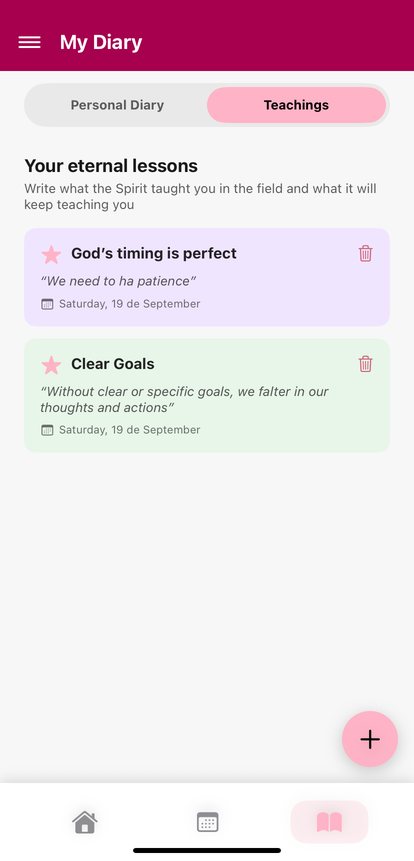
A personal journal with notebook pages and a separate space for your eternal lessons: what you learned in the field and in life, so you can keep applying it.

  • One entry per day, with a date.
  • Eternal lessons organized by date.
  • Everything is saved to your account and is not lost when you change phones.
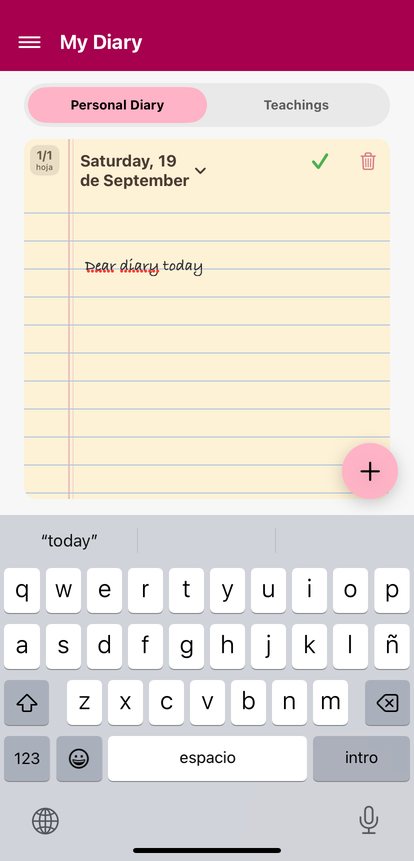
Personal journal and eternal lessons
Companionship Mode

Goals and agenda with someone who walks with you

Link your account with a companion's by scanning a QR code. You share goals, agenda and teachings, and stay on the same page.

  • Link with a QR code or a 6-digit code.
  • A sync button whenever you need it.
  • Turn it on from Settings and leave whenever you want.
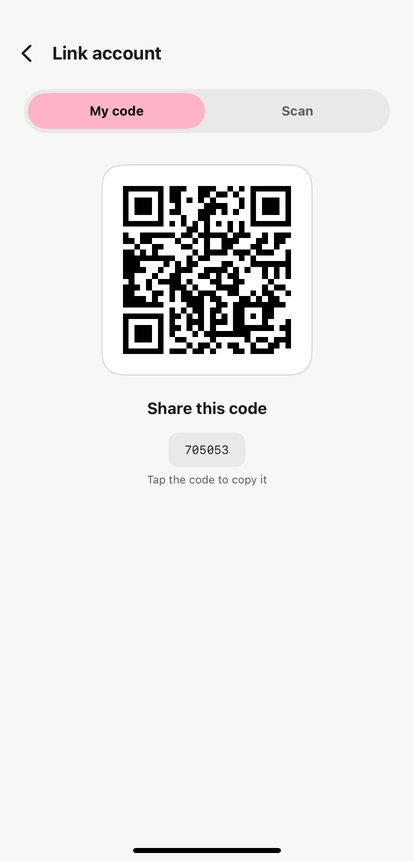
Screen to link accounts with a QR code

In your language

RMPlanner works in Spanish, English and Portuguese, and supports dark mode and the color theme you choose.

EspañolEnglishPortuguês

Frequently asked questions

What is RMPlanner?

It is an app for organizing life after the mission. It brings together a calendar, journal, goals, teachings and Companionship Mode in one place.

Who is it for?

It is made for returned missionaries who want to keep the discipline and direction they had on their mission while they study, work and build their lives.

How much does it cost?

You can try it free for 3 days. After that it is a monthly subscription, and the price appears in your currency in Google Play or the App Store. You cancel it from the store itself.

Which devices does it work on?

On Android (Google Play) and on iPhone or iPad (App Store). Your tasks, goals and journal are saved to your account, so they are not lost when you change phones.

What is Companionship Mode?

It lets you link your account with a companion's by scanning a QR code. You share goals, agenda and teachings, and either of you can leave the link whenever you want.

Which languages is it available in?

Spanish, English and Portuguese.

Guides for returned missionaries

Practical advice for organizing your life after the mission.

What to do after your mission: a guide to the first 90 days

How to organize the first three months after coming home.

Read guide →

How to keep your mission habits after you come home

Three habits you can keep without the structure of the mission.

Read guide →

How to make a life plan with short, medium and long-term goals

Steps to turn what you want into goals with dates.

Read guide →

Start today with 3 free days

Download RMPlanner, try it for free and decide later. The monthly subscription is shown in your currency in the store.